
Due to many requests we have changed settings on our email servers to accommodate the needs of our clients and protect them from fraudulent emails. In order to apply these settings on our server without effecting your mail you must apply "smtp authentication" settings to your POP account. Here are the outlook settings since this is our most popular email client.
1. Enter your email as you normally would. On the top navigation bar you will see Tools. Choose Tools then Choose Email Accounts as shown in Figure 1.
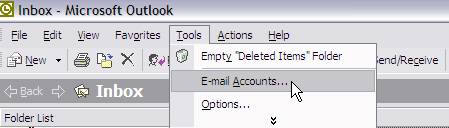
Figure 1.
Once you enter Email Accounts, CHoose View or Change existing e-mail accounts and choose next as shown in figure 2.
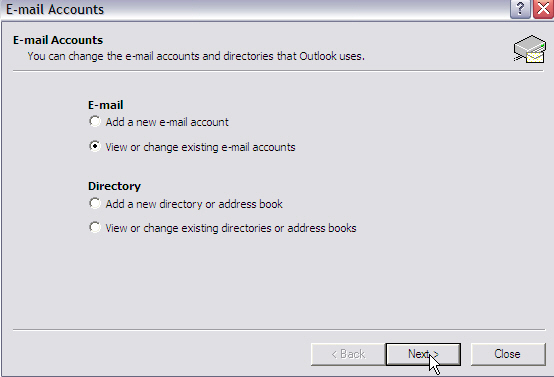
Figure 2.
Then you will notice your email account settings. You may see mail.yourdomain.com. Choose Change as shown in Figure 3.
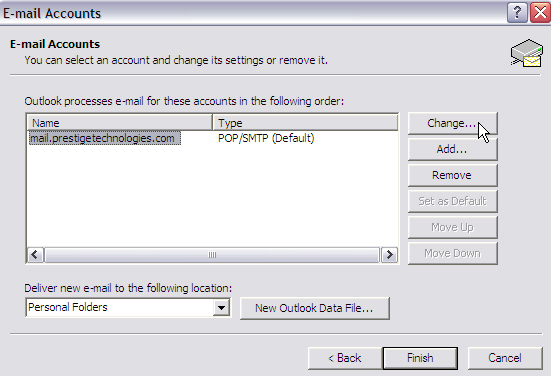
Figure 3.
You will see all of your settings you added when you fist created the account. Choose more settings as shown in Figure 4.
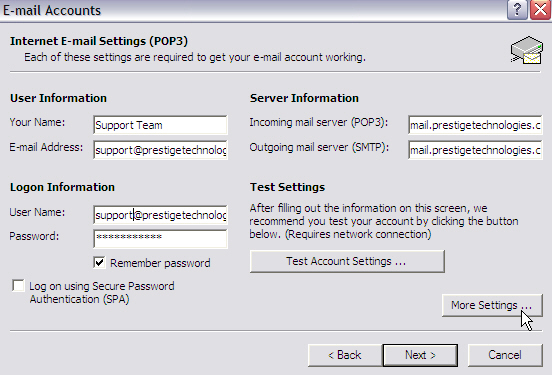
Figure 4.
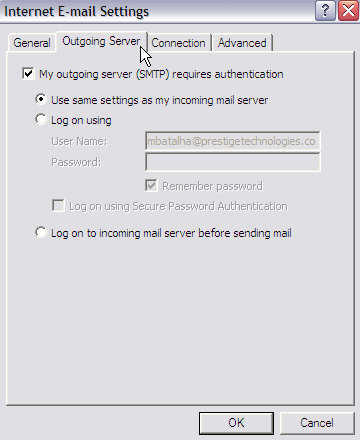
Choose the Outgoing Server tab and select " My Outgoing server (smtp) requires authentication" and then choose Use the same settings as my incoming server as shown in figure 5. Once you do this choose ok.
Once you click ok choose next as shown in figure 6.
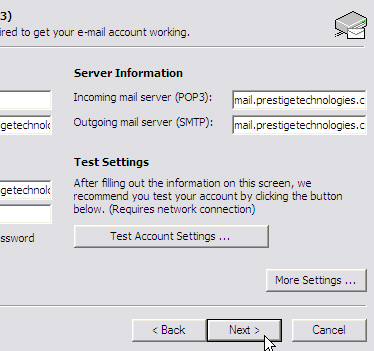
Figure 6.
Then choose Finish and you are done as shown in figure 7.
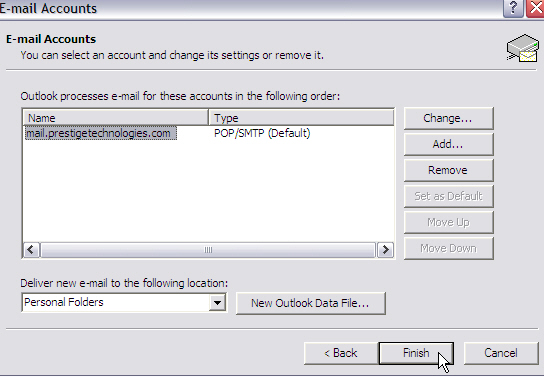
Figure 7.
If you have any other questions please contact support at support@prestigetechnologies.com
